

Last Updated on June 17, 2026
Have you ever wished your phone could connect seamlessly with your car, making every drive safer and more fun? That’s exactly what Apple CarPlay and Android Auto do for you.
They transform your car’s dashboard into an extension of your smartphone, giving you easy access to maps, music, calls, and messages—all without taking your eyes off the road. If you want to know how these systems work and why they might be a game-changer for your daily drive, keep reading.
You’re about to discover how to make your time behind the wheel smarter and more connected.

Credit: www.amazon.ca
Apple Carplay Features
Apple CarPlay is a system that connects your iPhone to your car. It shows apps and functions on your car’s screen. This helps you use your phone safely while driving.
CarPlay focuses on easy control and clear display. It works with many apps and uses voice commands to keep your hands on the wheel.
Interface And Usability
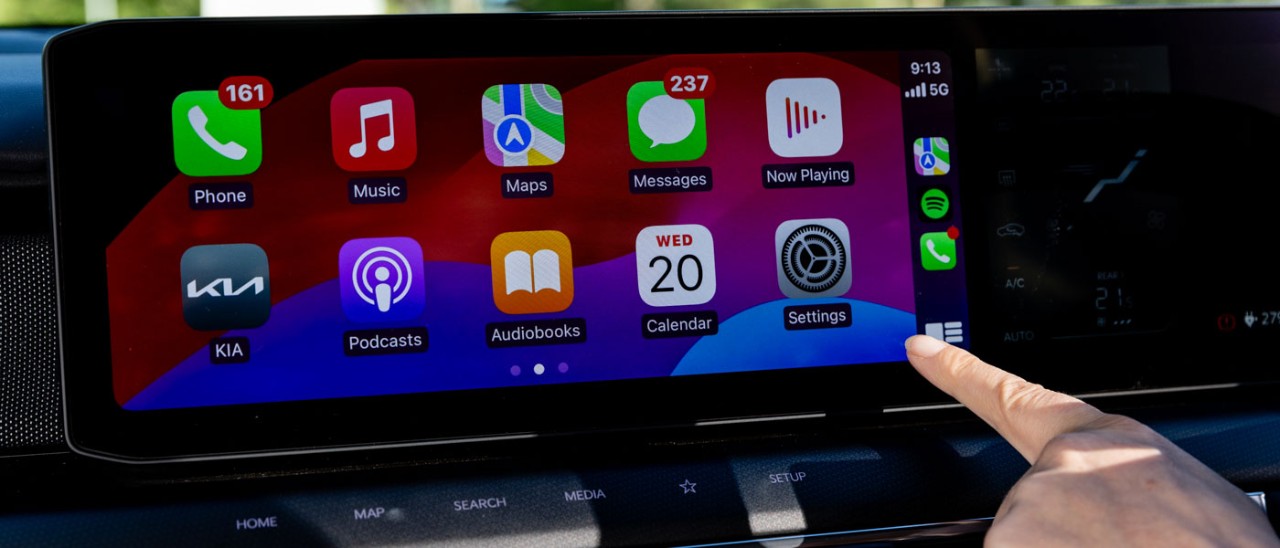
The CarPlay interface looks simple and clean. It shows large icons that are easy to tap. The screen layout is similar to your iPhone’s home screen. This makes it easy to find apps quickly.
The system supports both touch and knob controls. You can also use your car’s buttons to navigate menus. This flexibility helps drivers use CarPlay safely and comfortably.
Supported Apps
- Phone for calls and contacts
- Messages for texts and replies
- Maps for navigation and directions
- Music apps like Apple Music and Spotify
- Podcasts and Audiobooks
- Third-party apps such as WhatsApp and Audible
Apple updates CarPlay regularly to add new app support. Most apps focus on driving safety and ease of use.
Voice Control With Siri
| Voice Command | Function |
| “Call [Name]” | Makes a phone call |
| “Send a message to [Name]” | Sends a text message |
| “Play [Song or Artist]” | Starts music playback |
| “Navigate to [Place]” | Starts directions in Maps |
| “Read my messages” | Reads incoming texts aloud |
Siri listens to your voice and responds quickly. This helps keep your eyes on the road and hands on the wheel.
Credit: www.racv.com.au
Android Auto Features
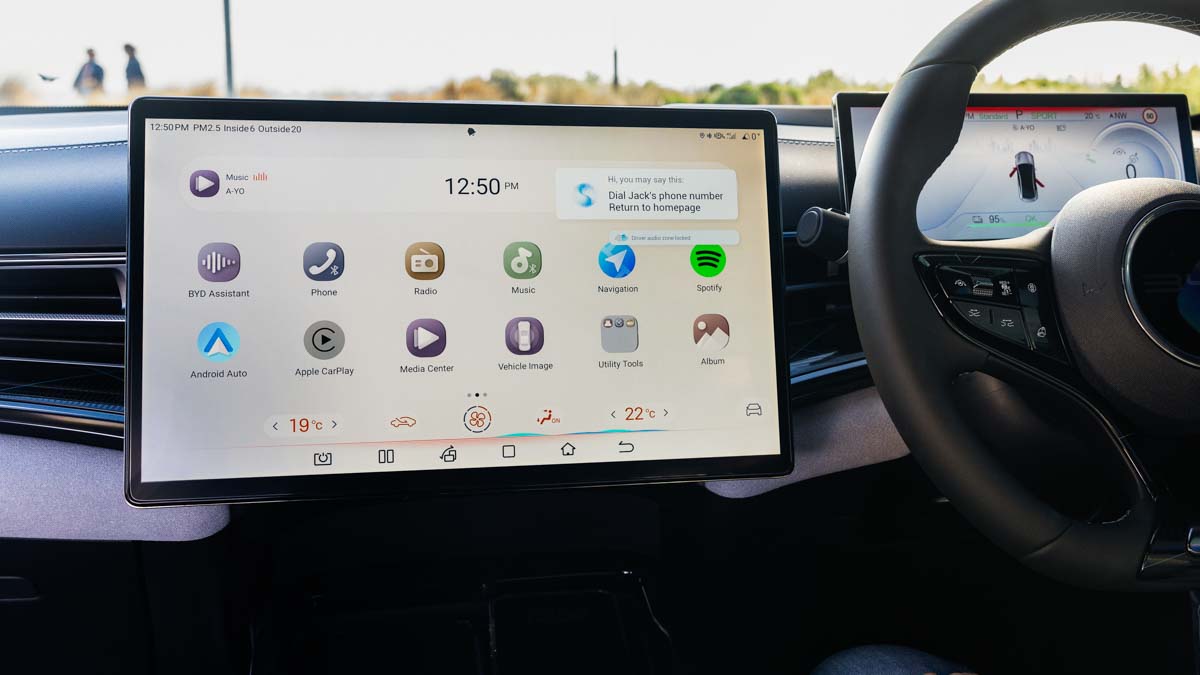
Android Auto helps drivers use their phone apps safely on the road. It connects your phone to your car’s display.
You can control music, navigation, and messages without distraction. The system is designed for easy use while driving.
User Interface Design
The Android Auto interface is simple and clear. It shows large icons and easy-to-read text. This helps drivers focus on the road.
- Big buttons for quick access
- Simple menus with few options
- Dark mode to reduce glare at night
- Consistent layout across apps
Compatible Applications
Android Auto works with many popular apps for music, navigation, and messaging. These apps meet safety and usability rules.
| App Type | Examples |
| Music | Spotify, Pandora, YouTube Music |
| Navigation | Google Maps, Waze |
| Messaging | WhatsApp, SMS, Facebook Messenger |
| Podcast | Google Podcasts, Pocket Casts |
Google Assistant Integration
Google Assistant lets drivers use voice commands to control Android Auto. This keeps hands on the wheel and eyes on the road.
- Send and receive messages by voice
- Play music or podcasts
- Get directions and traffic updates
- Ask questions or set reminders
Setup And Compatibility
Apple CarPlay and Android Auto let you use your phone safely in your car. They show apps like maps and music on the car’s screen.
To use these systems, your car and phone must work with them. Setup is simple with the right devices and connections.
Compatible Vehicles And Devices
Many car brands support Apple CarPlay and Android Auto. Your phone must also be compatible to use these features.
- Apple CarPlay works with iPhone 5 or newer models.
- Android Auto supports phones with Android 6.0 or higher.
- Most new cars from 2016 or later include support.
- Luxury and mid-range models often have these systems built-in.
Connection Methods
You can connect your phone to the car using USB or wirelessly. The connection method depends on your car and phone model.
- USB cable connection is common and reliable.
- Wireless connection uses Bluetooth and Wi-Fi.
- Some cars support only USB connections.
- Wireless setup may need initial USB connection first.
Troubleshooting Common Issues
Sometimes Apple CarPlay or Android Auto may not work correctly. Checking simple issues can help fix problems fast.
- Make sure your phone’s software is updated.
- Use a good quality USB cable if connecting by wire.
- Restart your phone and car system if connection fails.
- Check if the car’s system settings enable CarPlay or Android Auto.
- Clear any Bluetooth or Wi-Fi pairing and reconnect if wireless fails.
Comparing Carplay And Android Auto
Apple CarPlay and Android Auto are systems that connect smartphones to car displays. They let you use apps safely while driving.
Both systems share many features but have some differences. This guide compares their key aspects.
Performance And Responsiveness
CarPlay and Android Auto run apps from your phone on the car screen. Both work smoothly with minimal delay.
CarPlay is known for fast responses on iPhones. Android Auto performance depends on your phone model.
- CarPlay feels quick and stable on Apple devices
- Android Auto works well but may lag on older phones
- Both update regularly to improve speed
App Availability
Both systems support many apps. They focus on navigation, music, and messaging apps.
CarPlay has apps from Apple and third parties. Android Auto supports Google and other developers.
- CarPlay apps include Apple Maps, Spotify, and WhatsApp
- Android Auto apps include Google Maps, YouTube Music, and Messenger
- Some apps appear on one system but not the other
Safety And Convenience
Both systems help drivers stay focused. They offer voice control and simplified screens.
CarPlay uses Siri voice commands. Android Auto uses Google Assistant. Both keep your hands on the wheel.
- Voice commands reduce distractions while driving
- Simple interfaces show only needed information
- Both support steering wheel controls
Credit: www.racv.com.au
Frequently Asked Questions
What Is Apple Carplay And How Does It Work?
Apple CarPlay connects your iPhone to your car’s screen, letting you use apps safely while driving.
Can Android Auto Be Used On Any Car Model?
Most new cars support Android Auto, but older models may need an update or adapter.
What Apps Are Compatible With Apple Carplay And Android Auto?
Common apps like Maps, Music, Messages, and Podcasts work well on both systems.
Is It Safe To Use Apple Carplay And Android Auto While Driving?
Yes, they are designed to reduce distractions by using voice commands and simple controls.
Do Apple Carplay And Android Auto Need A Wired Or Wireless Connection?
Both systems work with wired USB connections; some newer cars support wireless connections too.
Conclusion
Apple CarPlay and Android Auto make driving safer and easier. They connect your phone to your car’s screen. You can use maps, calls, messages, and music hands-free. Both systems help you stay focused on the road. Choosing between them depends on your phone type.
Either way, they bring smart features to your car. Technology meets convenience for every driver. Try them to see how your driving can improve. Simple, useful, and easy to use. That’s what these systems offer.