

Imagine controlling your car’s infotainment system with just a wave of your hand. No more fumbling with buttons or touchscreens while driving.
Gesture control in car infotainment brings this convenience right to your fingertips—literally. But what exactly is gesture control, and how can it make your driving experience safer and more enjoyable? Keep reading to discover how this smart technology works and why it might be the next big thing in your car.

Credit: www.reddit.com
Basics Of Gesture Control
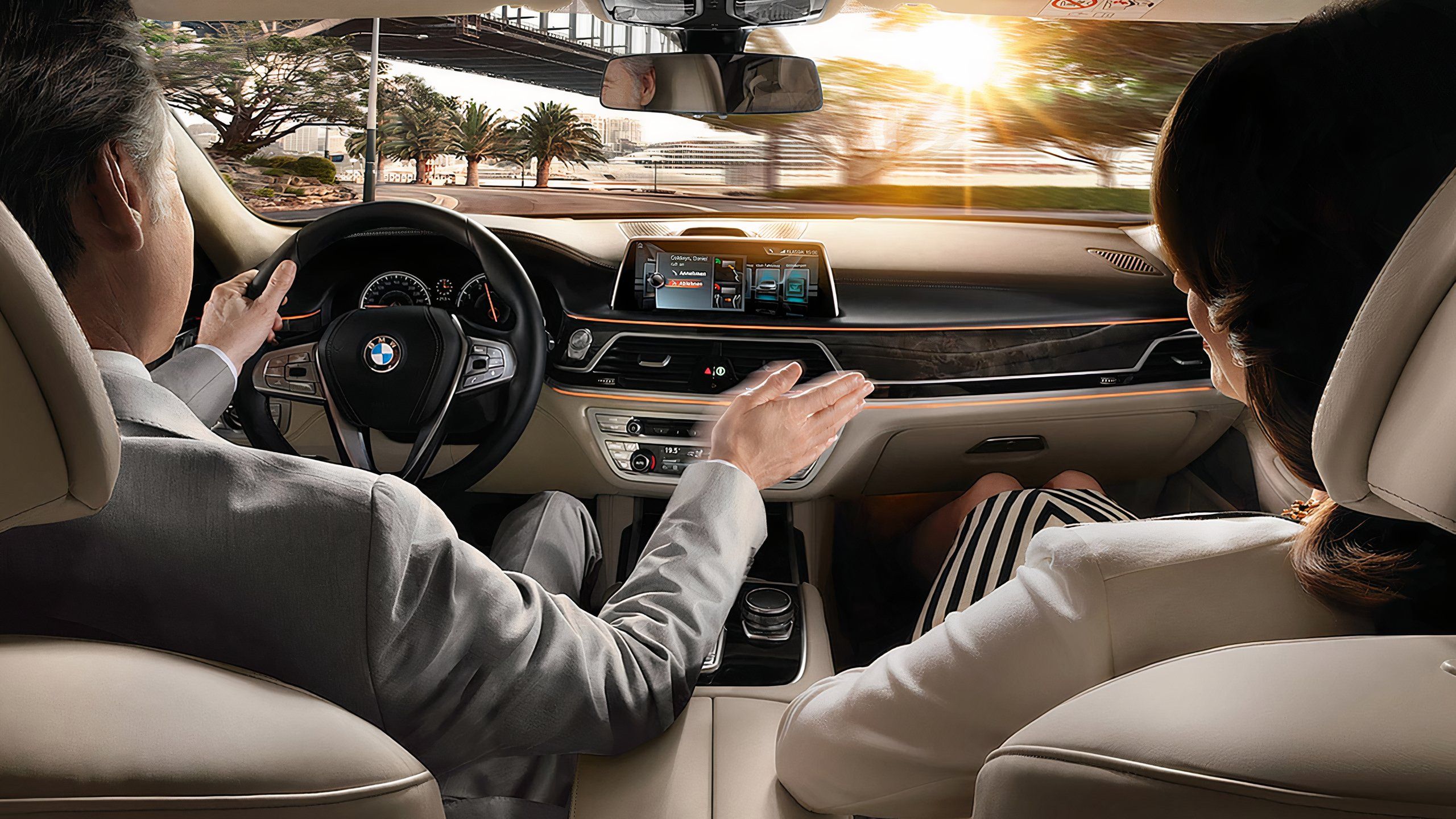
Gesture control in car infotainment lets drivers use hand movements. It helps control the system without touching screens or buttons.
This technology makes driving safer by reducing distractions. Drivers can focus more on the road while using simple gestures.
How Gesture Control Works
Gesture control uses cameras or sensors inside the car. These devices detect hand movements and send signals to the infotainment system.
The system reads the gestures and performs the related command, like changing music or adjusting volume. It works fast and without touching anything.
Types Of Gestures Used
Several simple gestures control the car infotainment system. Each gesture has a specific action to make driving easier.
- Swipe left or right to change songs or radio stations
- Move hand up or down to increase or decrease volume
- Point or tap in the air to select menu items
- Make a circle motion to scroll through options
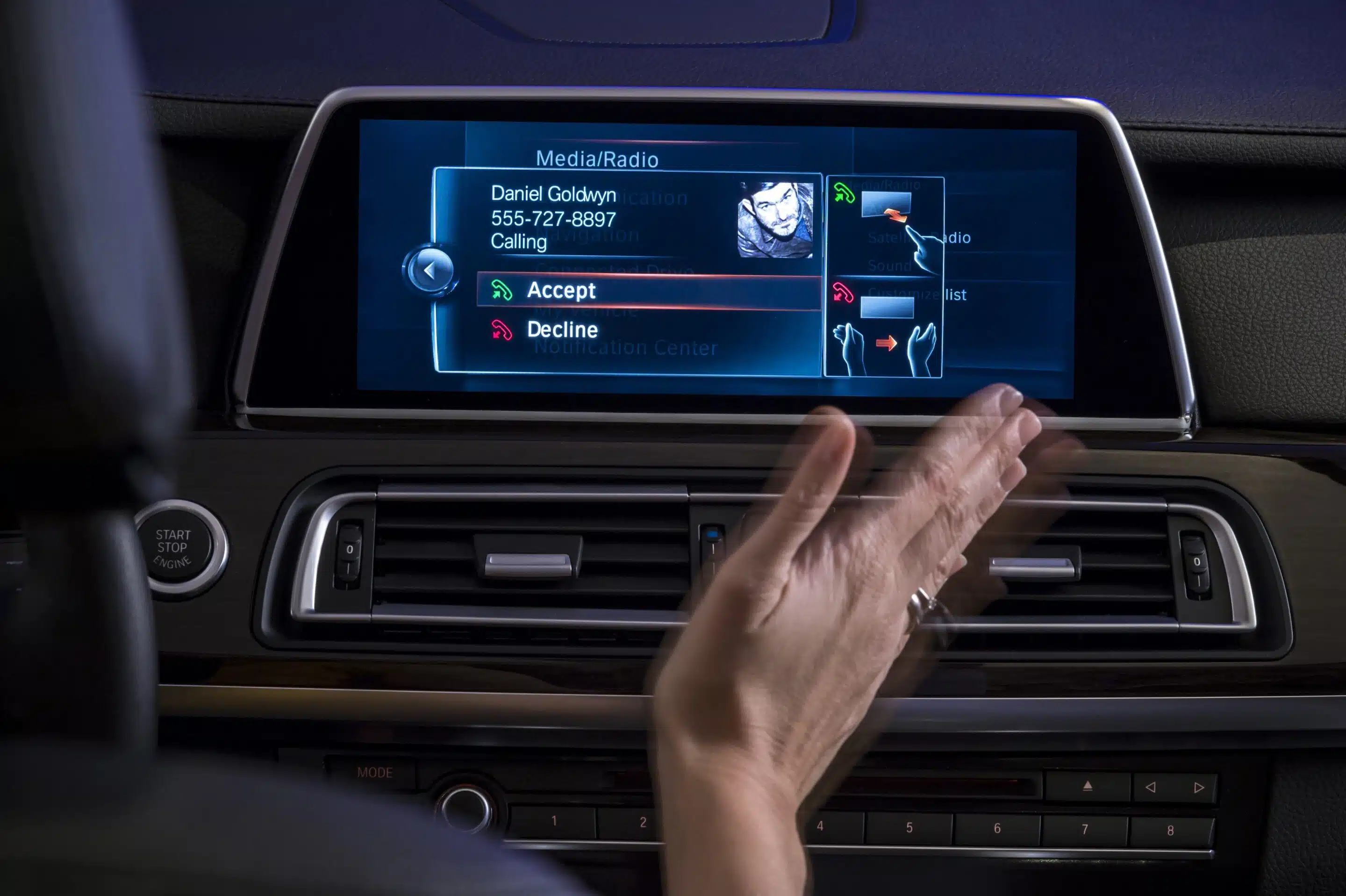
- Open or close hand to accept or reject calls
Credit: www.pocket-lint.com
Benefits In Car Infotainment
Gesture control lets drivers use hand movements to control car features. It works without touching screens or buttons.
This system helps drivers focus on the road. It makes using the car’s infotainment safer and easier.
Enhanced Driver Safety
Gesture control reduces distractions by keeping hands off the screen. Drivers can change settings without looking away.
This lowers the risk of accidents. Drivers stay alert and keep their eyes on the road longer.
- Less need to touch screens or buttons
- Hands stay near the steering wheel
- Eyes stay focused on driving
- Quicker and safer command inputs
Improved User Experience
Gesture control makes using infotainment smooth and fast. Drivers can change music or maps with simple hand waves.
The system is intuitive and easy to learn. It works well even when the car is moving on rough roads.
- Quick access to common features
- No need to search menus
- Works without physical contact
- Reduces clutter on the dashboard
Popular Systems And Technologies
Gesture control in car infotainment lets drivers use hand movements to control features. This technology helps keep attention on the road by reducing touch interactions.
Many car makers use different systems and technologies to detect and interpret gestures. These include cameras, sensors, and software that recognize specific hand signs.
Leading Automakers’ Implementations
BMW uses gesture control to adjust volume and accept calls. Drivers can swipe or point to control the system without touching screens.
Mercedes-Benz offers a system that recognizes hand waves and finger movements. It helps control media, navigation, and phone functions.
- BMW: Volume control, call handling
- Mercedes-Benz: Media, navigation, phone
- Volkswagen: Simple hand gestures for menu navigation
- Ford: Basic gesture commands for infotainment
Sensor And Camera Technologies
Gesture control systems use cameras like infrared or depth sensors to track hand movements. These cameras capture 3D images to understand gestures clearly.
Some systems combine radar sensors with cameras. Radar detects motion while cameras identify specific gestures. This combination improves accuracy and reduces errors.
- Infrared cameras detect hand heat and shape
- Depth sensors create 3D maps of hand positions
- Radar sensors sense motion speed and distance
- Software algorithms interpret gesture patterns
Future Trends And Challenges
Gesture control in car infotainment is changing how drivers interact with their cars. It lets drivers use hand movements to control music, maps, and calls without touching screens.
New technology will make gesture control smarter and easier. Still, there are challenges to solve for safety and accuracy.
Advancements In Ai And Machine Learning
AI and machine learning help cars understand gestures better. These technologies learn from many users to improve recognition accuracy over time.
Future systems will adapt to different lighting and hand positions. They will also predict user intent to make controls faster and smoother.
- AI can recognize complex gestures
- Machine learning personalizes user experience
- Systems improve with more data
- Faster response times for commands
Potential Limitations And Solutions
Gesture control can fail if sensors do not detect hands well. Bright sunlight or dirty sensors can cause errors. Drivers may get frustrated if controls do not work reliably.
To fix these problems, sensors must improve and work in all conditions. Combining gestures with voice commands can help. Clear feedback on screen tells drivers when a gesture is recognized.
- Improve sensor quality and placement
- Use multiple sensors for better accuracy
- Combine gesture and voice controls
- Show visual feedback for gestures
Credit: supercarblondie.com
Frequently Asked Questions
What Is Gesture Control In Car Infotainment Systems?
Gesture control lets drivers use hand movements to control the car’s screen without touching it.
How Does Gesture Control Improve Driving Safety?
It reduces distractions by allowing drivers to keep their eyes on the road while using controls.
Which Car Functions Can Be Controlled By Gestures?
Common functions include adjusting volume, changing music tracks, and accepting phone calls.
Are Gesture Controls Easy To Learn And Use?
Yes, most systems are designed to recognize simple, natural hand movements for easy use.
Do All Modern Cars Have Gesture Control Features?
No, gesture control is available in select models and is becoming more common over time.
Conclusion
Gesture control in car infotainment makes driving safer and easier. You can change settings without touching screens or buttons. Simple hand movements help control music, calls, and navigation. This technology reduces distractions on the road. It also adds a modern touch to your car experience.
As more cars include gesture control, expect smoother and smarter driving. It’s a step toward hands-free, focused driving. Try to learn basic gestures to enjoy its full benefits. Driving can be more fun and less stressful this way.